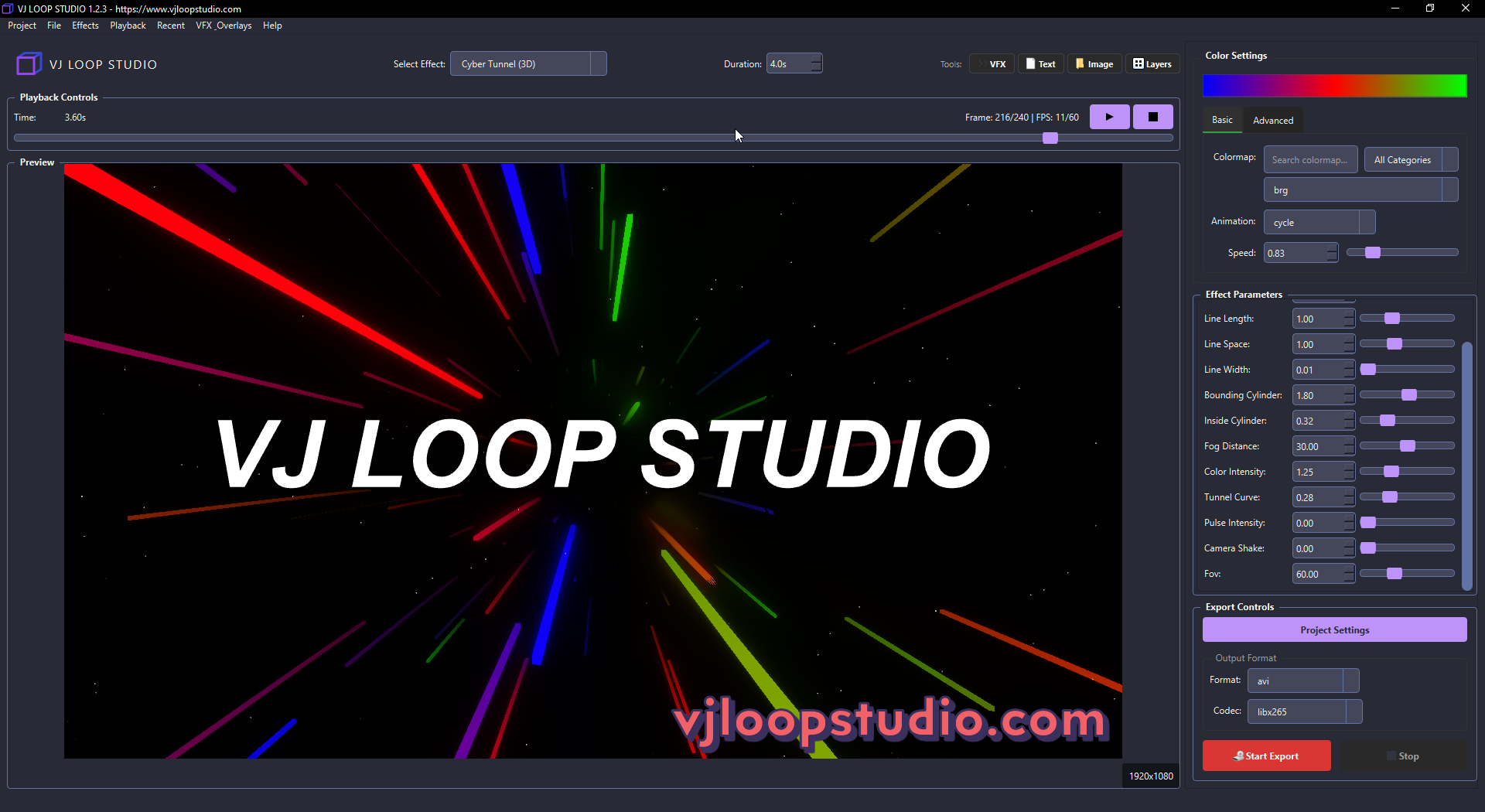
VJ Loop Studio: Create Professional Visual Effects for LED Walls & Live Performances
Introduction to VJ Loop Studio
In today’s digital entertainment landscape, captivating visuals are as essential as the audio experience. Whether you’re a professional VJ working club events, a digital artist creating installations, or an event producer managing corporate shows, having access to high-quality, customizable visual content is crucial.
VJ Loop Studio stands out as a comprehensive solution for creating professional-grade visual effects specifically designed for LED walls, video screens, and live performances. Recently released, this powerful software now includes over 40 unique visual effects, advanced color animations, and professional export capabilities.
Key Features That Set VJ Loop Studio Apart
40+ Professional Visual Effects
The software comes packed with a diverse range of visual effects across 11 different categories:
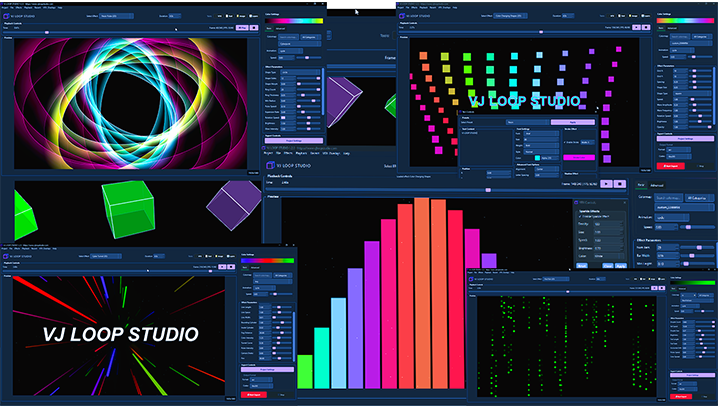
A selection of VJ Loop Studio’s 40+ visual effects across multiple categories
- Matrix Effects: Create iconic digital rain animations with fully customizable parameters like drop speed, density, and trail length.
- 3D Objects: Generate impressive three-dimensional visualizations with dynamic rotations and color mapping.
- Pulsing Circles: Develop hypnotic circular patterns with precise control over layers, pulse speeds, and color transitions.
- Neon Effects: Design bright, glowing neon-style graphics with pulsating lights and wave effects.
Each effect includes multiple parameters that can be fine-tuned to achieve exactly the look you need for your specific project or venue.
Dynamic Color Animation System

The custom color palette editor with animation controls
Color brings your visuals to life, and VJ Loop Studio excels in this area with:
- 13 built-in color animation modes including cycle, pulse, bounce, and rainbow wave
- Custom color palette editor for creating your own color schemes
- Color mapping capabilities that let you assign colors to any parameter
- Dynamic wave effects and gradient pulse animations
These color tools allow you to match your visuals perfectly to your brand, event theme, or music style.
Professional Export Capabilities
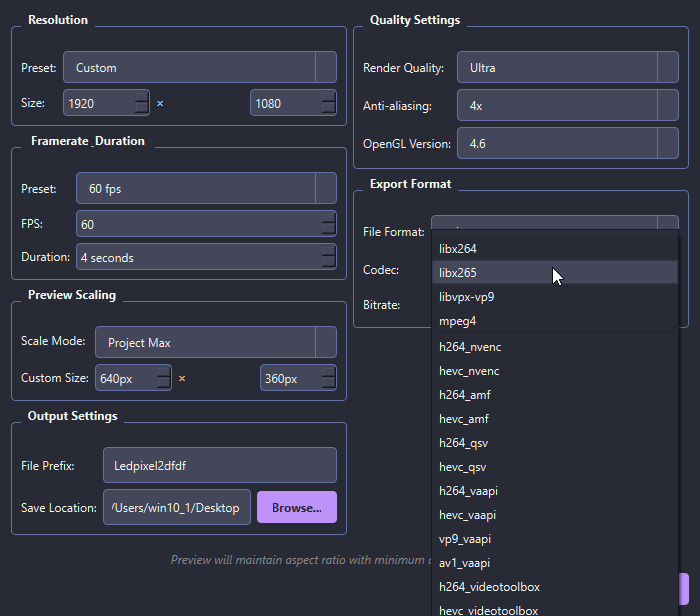
Professional export options with multiple codecs and resolution settings
Creating great effects is only half the battle - you need to be able to export them in formats that work with your setup:
- Professional Codecs: Export with industry-standard codecs including H.264/AVC, H.265/HEVC, VP9, and AV1
- Resolution Support: Create content at any scale from HD to 4K and even 8K
- Hardware Acceleration: Speed up rendering with NVENC, QSV, and VAAPI options
- Quality Control: Fine-tune output with MSAA antialiasing, custom aspect ratios, and multiple quality presets
Perfect Compatibility With Industry Software
One of VJ Loop Studio’s greatest strengths is its seamless integration with popular LED and VJ software:
- LED Control Systems: Compatible with Madrix, Jinx!, xLights, and various pixel mapping solutions
- VJ Software: Works perfectly with Resolume Arena, VDMX, TouchDesigner, and other VJ platforms
- Media Servers: Exports content compatible with Avolites AI, Green Hippo, d3/disguise, and Pandoras Box
- LED Controllers: Supports content formats for Colorlight, NovaStar, Brompton, and ArtNet/sACN devices
Practical Applications for VJ Loop Studio
The versatility of VJ Loop Studio makes it valuable across multiple settings:
Club and Concert Visuals
For nightclubs and concert venues, the dynamic effects and color animations create the perfect atmosphere to complement musical performances. The Matrix and Neon categories are particularly popular in these environments.
Corporate Events and Conferences
The clean, professional effects can be customized to match brand colors and themes, making them ideal for corporate events, product launches, and conferences where visual impact needs to align with company identity.
Architectural LED Installations
For permanent LED installations on buildings or in public spaces, VJ Loop Studio provides content that can be scheduled and automated, with effects that work beautifully at both day and night.
Broadcast and Streaming
Content creators for broadcast and streaming platforms can use the effects as backgrounds, transitions, and overlays, taking advantage of the alpha channel support and high-resolution exports.
Getting Started With VJ Loop Studio
VJ Loop Studio is available for Windows 10/11 operating systems. The minimum requirements include:
- OpenGL-compatible graphics card (dedicated GPU recommended for 4K+ exports)
- 4GB RAM minimum (8GB+ recommended)
- FFmpeg (automatically installed if missing)
The software is offered with a lifetime license that includes all future updates, meaning you pay once and receive all new features and effects as they’re released.
Conclusion: A Valuable Tool for Visual Creators
VJ Loop Studio fills an important niche in the visual effects creation space by offering professional-quality tools specifically designed for LED walls and live performances. Whether you’re new to creating visual content or an experienced VJ looking to expand your effects library, this software provides the versatility, quality, and export capabilities needed to create standout visual experiences.
The combination of extensive effects library, powerful color tools, and professional export options makes VJ Loop Studio a compelling option for anyone serious about creating visual content for LED displays and live performances.
Ready to transform your visual content? Download VJ Loop Studio today and start creating professional visual effects for your next project.