VJ software comparison 2026

Best VJ Software 2026: 7 Tools Compared

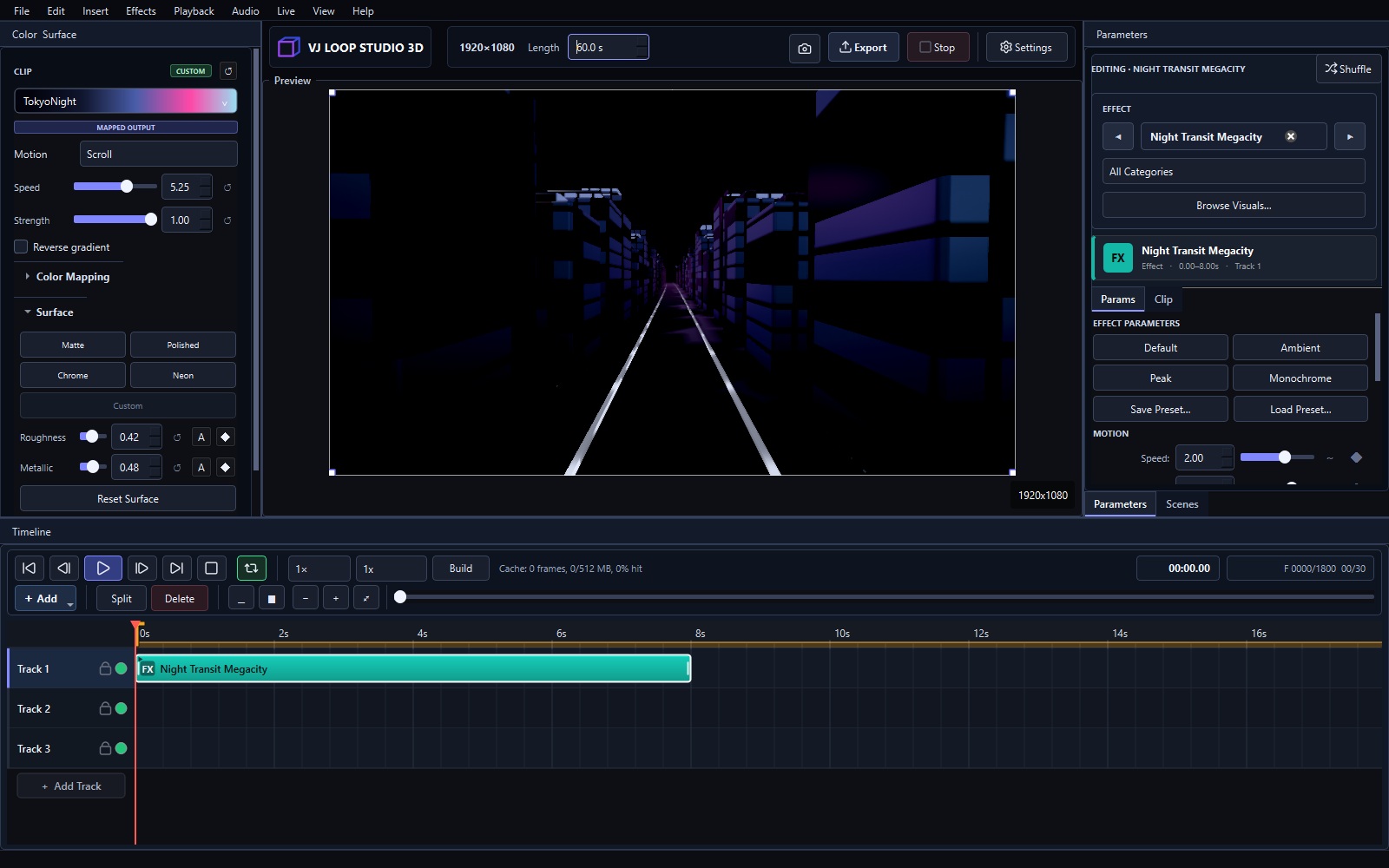
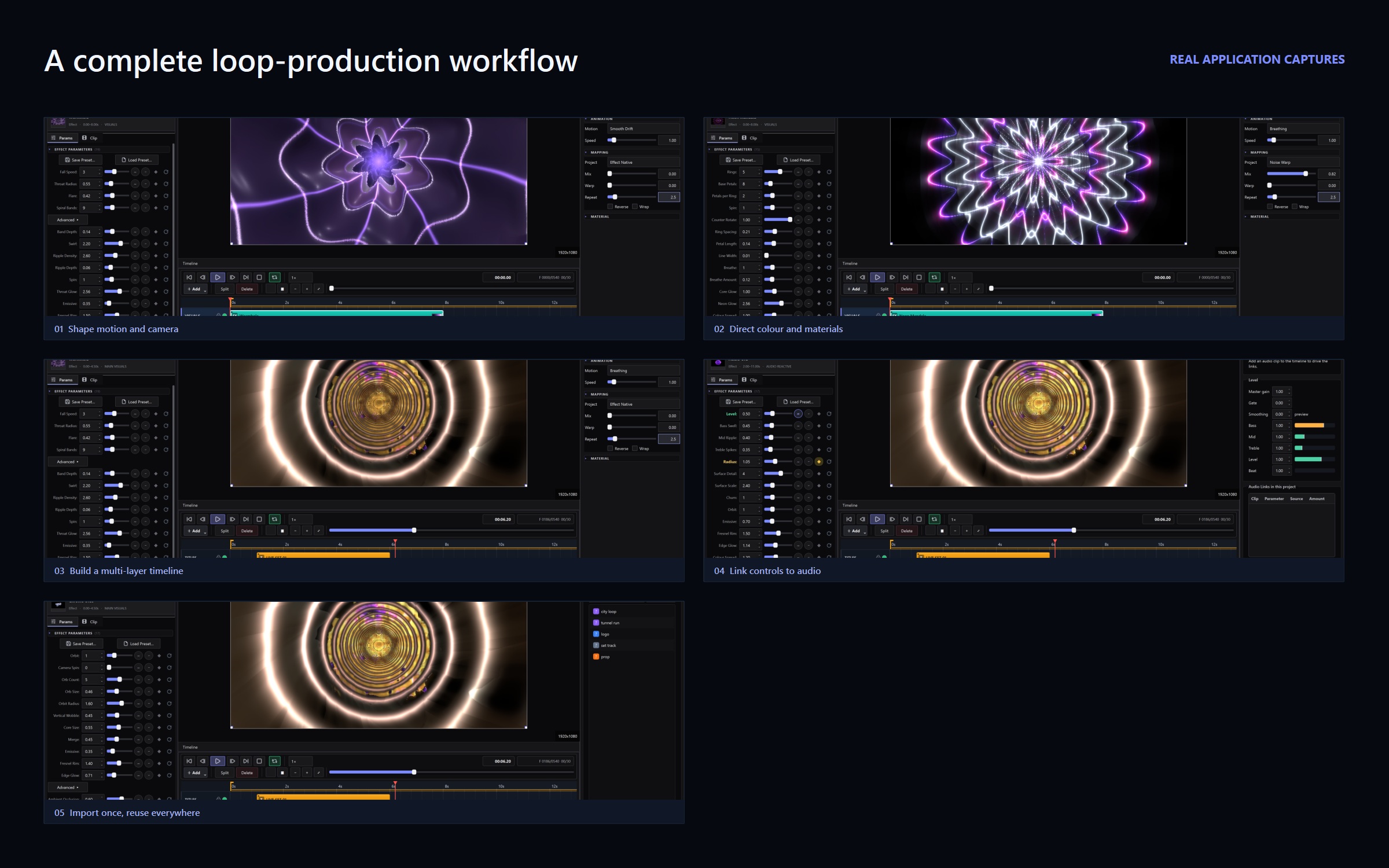
No single program covers all of VJing. The right tool depends on whether you generate visuals, mix them live, map them onto surfaces, or just need something free to start. Here are the seven tools that matter in 2026, honestly compared. Quick Ranking # Software Price Best for 1 VJ Loop Studio 3D €99 + VAT once Generating original VJ loops 2 Resolume Arena / Avenue Paid (check current pricing) Live clip mixing in clubs 3 MadMapper Paid (check current pricing) Projection mapping 4 TouchDesigner Free + paid tiers Custom interactive systems 5 OBS Studio Free Streaming mixed visuals 6 Synesthesia Paid subscription Audio-reactive live scenes 7 Magic Music Visuals Paid Beginner live visuals 1. VJ Loop Studio 3D — Best for Generating Loops 124 built-in effects, multi-track timeline, audio-reactive controls, Spout and NDI live output, and video export — for a one-time €99 + VAT. If your problem is “I need original loops,” this is the fastest answer. Pricing explained · Full tutorial ...
September 29, 2026 · 3 min · VJ Loop Studio 3D Team
VJ Loop Studio vs Resolume comparison

VJ Loop Studio vs Resolume: Generator or Live Mixer?

VJ Loop Studio 3D and Resolume both appear in VJ booths, but they do different jobs. One makes the visuals. The other performs them live. Most professional VJs eventually use both. Short Answer Choose VJ Loop Studio 3D (€99 + VAT once) if you need original loops: 124 effects, timeline, audio reactivity, video export. Choose Resolume (paid, check current pricing) if you mix clips live in clubs: triggering, effects chains, MIDI control, rock-solid playback. Use both: generate loops in VJ Loop Studio, perform them in Resolume via video files or live Spout feed. Comparison VJ Loop Studio 3D Resolume Arena / Avenue Price €99 + VAT, one-time Paid license (check current pricing) Core job Generate original loops Mix and perform clips live Effect library 124 built-in generators Live effects + FFGL plugins Timeline Multi-track loop composition Clip triggering + autopilot Audio reactivity Built-in modulators Audio FFT + envelope followers Video export Yes, presets for destinations Recording supported Spout/NDI Output to other software Full Spout/NDI in and out Learning curve Days Days to weeks Best for Content creation Live performance Where Resolume Wins Live performance. Clip triggering, layer mixing, MIDI-mapped controls, and bulletproof playback under pressure — that is what Resolume was built for over two decades. No generator replaces a live mixer in the booth. ...

September 29, 2026 · 2 min · VJ Loop Studio 3D Team
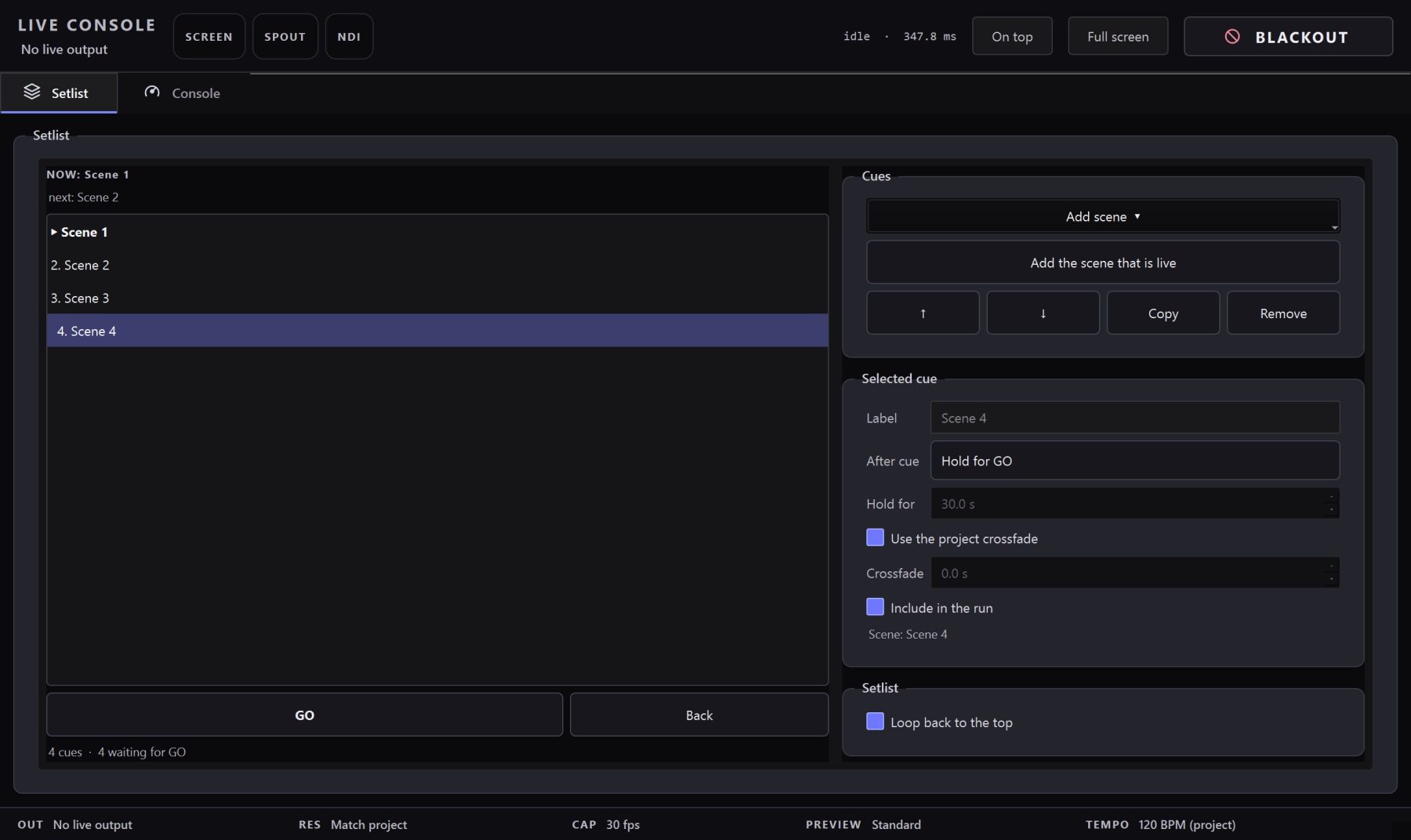
The Live Console in VJ Loop Studio 3D

Spout Output: Feed OBS, Resolume, and the Rest of Your Rig

Spout is how live visuals move between applications on a Windows machine. One app sends frames, another receives them — with no file, no network, and no compression in between. It is the standard handshake in the VJ world for a simple reason: the frames stay on the GPU, so the transfer is essentially free. This guide covers the two setups you will actually use — OBS Studio for streaming and recording, and Resolume for mapping and mixing — plus the others that speak Spout, and why VJ Loop Studio 3D is built to be the best sender in that chain. ...

August 6, 2026 · 8 min · VJ Loop Studio 3D
VJ Loop Studio 3D routed into other VJ software

Send VJ Loop Studio 3D Into Resolume, OBS, TouchDesigner, and MadMapper

VJ Loop Studio 3D is a generator, not a mixer — so it is built to feed the mixer you already use. There are three ways out of it: Spout for another app on the same PC, NDI for another machine, and rendered files for anything else. This guide covers when to use each, and the specific settings for the apps VJs actually run. Integration at a glance Live to other apps Spout (same PC, GPU-to-GPU) and NDI (same PC or across the network) Live to a screen Fullscreen mirror on any connected display or projector File handover MP4, MKV, AVI, MOV, GIF — H.264, H.265/HEVC, VP9 Confirmed destinations Resolume Arena/Avenue, OBS Studio, TouchDesigner, MadMapper, Notch, vMix, Millumin Latency Spout is frame-local; NDI adds a small network buffer Platform Windows 10/11 (64-bit) Pick a route in one decision Your situation Use Why Resolume/OBS on the same Windows PC Spout GPU-to-GPU, no compression, no added latency Mixer or encoder on another machine NDI Travels over normal gigabit Ethernet Driving a projector or LED processor directly Fullscreen output No third app in the chain at all Handing visuals to an editor, client, or a media server Export a file Deterministic, seekable, no live dependency You can run more than one at once — a fullscreen output on the projector while NDI feeds the stream encoder is a normal setup. ...

July 31, 2026 · 7 min · VJ Loop Studio 3D