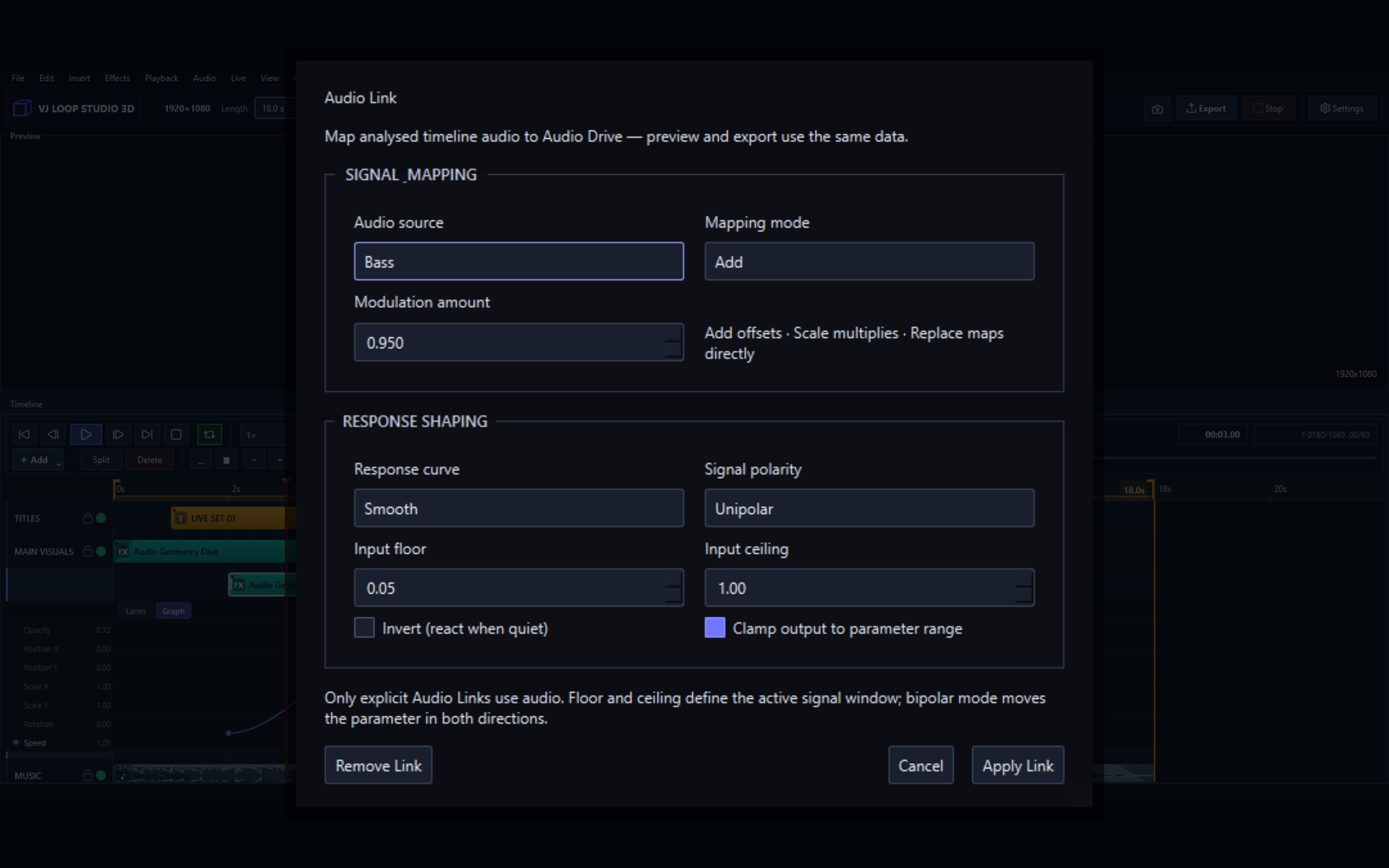
Audio-Reactive Visuals: Every Source, Route, and Modulator Explained
Two systems drive motion in VJ Loop Studio 3D: Audio Link, which follows real sound, and modulators, which generate their own. They target the same thing — any numeric parameter on a clip — and they are often best used together. This guide covers both, and the one behaviour that surprises people: why a render does not match the live preview exactly. Audio reactivity at a glance Audio sources Bass, Midrange, Treble, Loudness (RMS), Detected Beat, Low Blend, High Blend, Body, Spectral Brightness Modulator shapes Sine, Triangle, Saw, Envelope, Random Step, Sample & Hold, Macro Route modes Add or multiply, unipolar or bipolar Tempo Tap tempo, project BPM, tempo-synced modulators Targets Any numeric effect parameter, per clip Audio Link: following real sound Every numeric parameter in the inspector has a small ~ button beside it. Click it to open the Audio Link editor for that parameter. ...