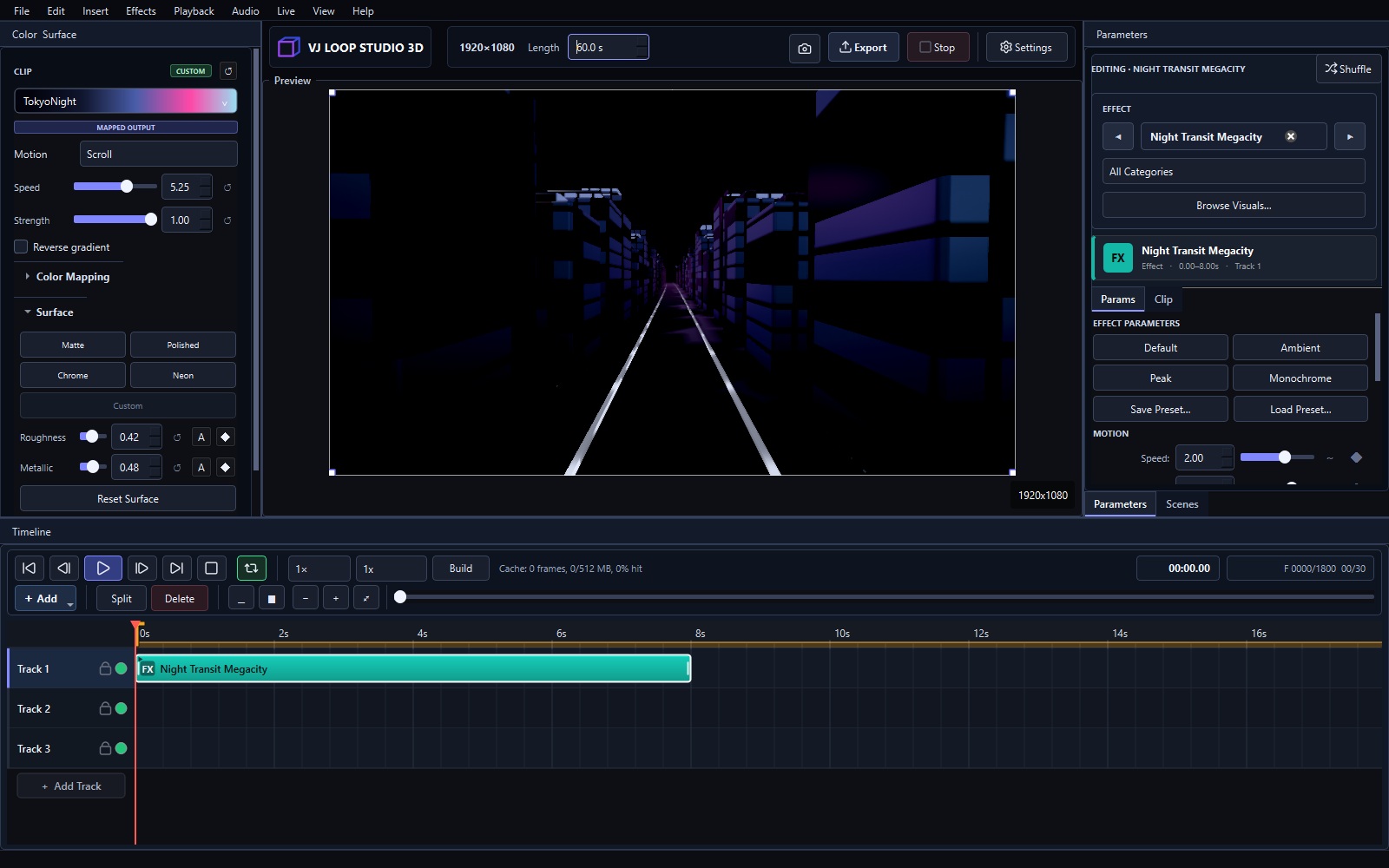
VJ Loop Studio 3D Review: An Honest Look
This is a hands-on review after extended daily use: building loops on the timeline, testing audio reactivity, exporting for Resolume and OBS, and running Spout feeds into a live rig. What holds up, what doesn’t, and who should spend the €99.
What It Is
A Windows desktop studio (€99 + VAT, lifetime license) for generating VJ loops: 124 effects, multi-track timeline, audio-reactive modulators, MIDI/OSC control, Spout/NDI output, and destination-tuned video export. Full breakdown in the pricing post.
What Worked Well
Effect range. 124 generators across tunnels, fractals, crystals, glitch, and liquid geometry is genuinely deep. The raymarched effects look a tier above typical loop packs.
Timeline thinking. Composing loops as layered tracks with fades and modulation — rather than triggering clips — fits how loops are actually built. The seamless-loop workflow (beginner guide) produces files that loop cleanly on the first try.
Export presets. Codecs and settings matched to destinations (Resolume, OBS, LED walls) remove the guesswork that usually wastes an evening.
Live output. Spout into OBS and Resolume worked without frame drops in testing, and NDI extended the same feed across the network.
One-time price. €99 once vs subscriptions elsewhere in the VJ world. The math favors anyone who makes loops regularly.
What Could Be Better
Windows only. No macOS version. Mac-based performers should verify compatibility before buying.
Not a live mixer. It generates content; it doesn’t trigger clips or run MIDI-mapped live sets like Resolume (comparison).
Not a mapper. No warping or projection calibration — that stays MadMapper’s job (comparison).
Depth takes days. The basics are fast, but mastering modulation routing and the full effect catalog is a longer journey — the user guide helps.
Who Should Buy It
- VJs who need original loops instead of marketplace packs
- Streamers feeding OBS with exclusive visuals
- LED wall operators preparing venue content
- Beginners who want one tool that teaches loop craft properly
Who Shouldn’t
- Mac-only performers (no macOS build)
- Operators who only mix live (a mixer like Resolume fits better)
- Projection-mapping specialists (a mapper fits better)
- Anyone expecting a free tool (try OBS first)
Verdict
VJ Loop Studio 3D does one job — generating VJ loops — with unusual depth for a €99 one-time purchase. Its limits are category limits (not a mixer, not a mapper, Windows only), clearly stated rather than hidden. Recommended for loop creators on Windows.
See the pricing · Best VJ software 2026 · Make your first loop