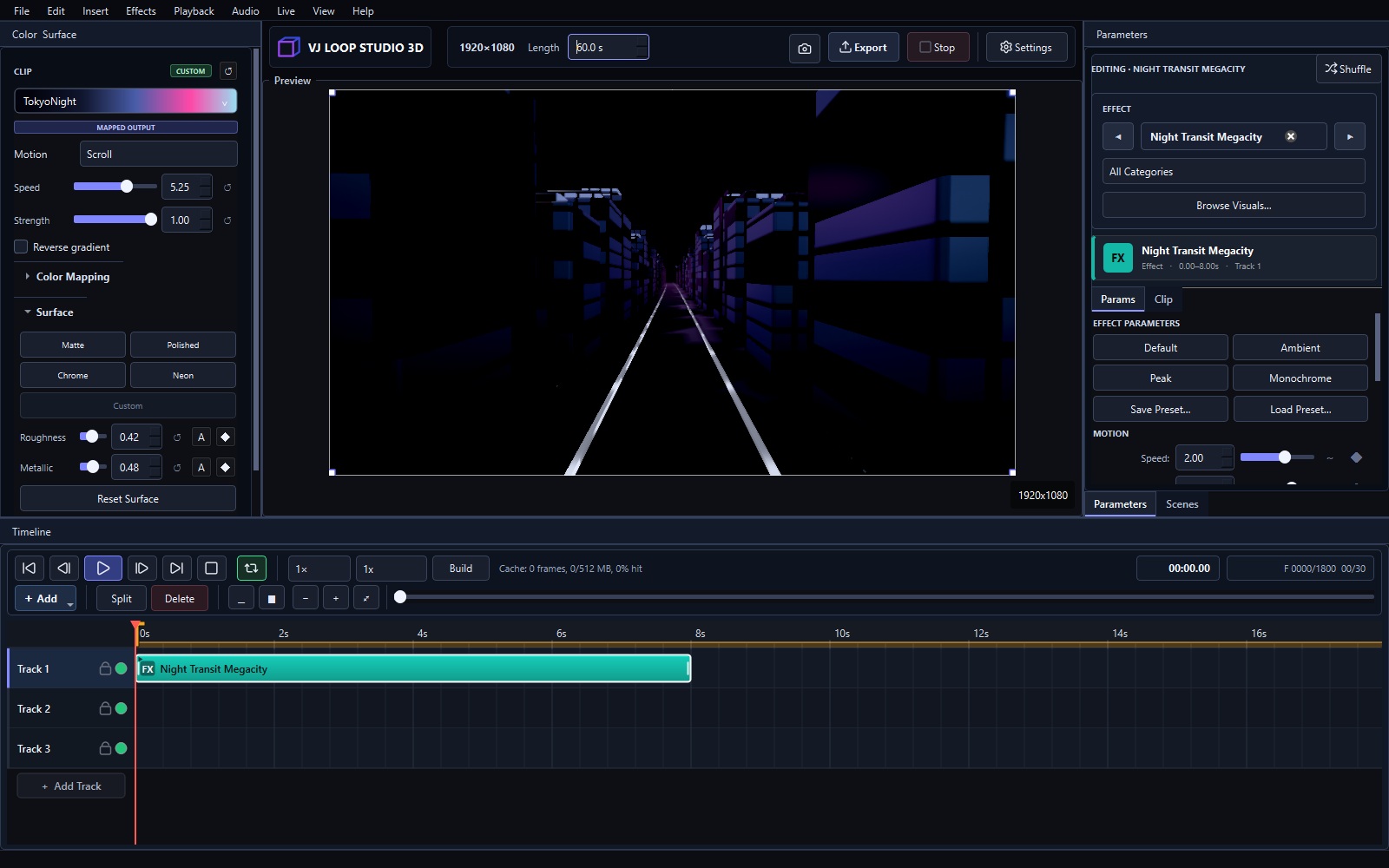
VJ Loop Studio 3D 1.1.0 is the first official release of our Windows visual-production studio. It brings effect design, 3D scenes, timeline animation, audio response, color control, and final video export into one project-based workflow.
124 Curated Built-In Effects
The library contains 124 effects across eight groups:
- 3D Scenes for environments, cities, monuments and camera flights
- Stage Essentials for washes, strobes, beams, bars and the workhorse looks of a set
- 2D Graphics for patterns, mandalas, kaleidoscopes and full-frame studies
- 3D Tunnels for corridors, portals, wormholes and forward motion
- Geometry & Material for chrome, glass, prisms and reflective objects
- Fractals for Mandelbulbs, Apollonian packings and raymarched detail
- Glitch for datamosh, RGB shift, VHS and signal-loss artefacts
- Particles & Fields and Volume & Organic for drift, noise and luminous forms
Every effect is built into the application and exposes focused controls for motion, composition, palette, and rendering.
Compose on a Multi-Track Timeline
Arrange effect, 3D model, video, image, overlay, text, lyrics, and audio clips on multiple tracks. Use transforms, opacity, blend modes, fades, trim and split tools, work areas, and scene timing to build a complete sequence.
Animate and React to Audio
Keyframe transforms and effect parameters with linear, hold, smooth, eased, or custom-bezier timing. Selected parameters can also respond to RMS, bass, mid, treble, or detected beats, with controls for threshold, smoothing, inversion, and response shape.
Work with 3D Models
Import OBJ, glTF, or GLB models and control scale, distance, field of view, orientation, spin, grid instancing, textures, materials, rim light, emission, metallic response, and roughness.
Preview and Export
See changes instantly in the live preview, then export MP4, MKV, or AVI video at the resolution and frame rate your project needs. Available codecs and hardware acceleration depend on your system.
Built for Windows Visual Artists
VJ Loop Studio 3D 1.1.0 supports 64-bit Windows 10 and Windows 11. A modern graphics card with current drivers is recommended.
This is the starting point. We look forward to seeing what you create.