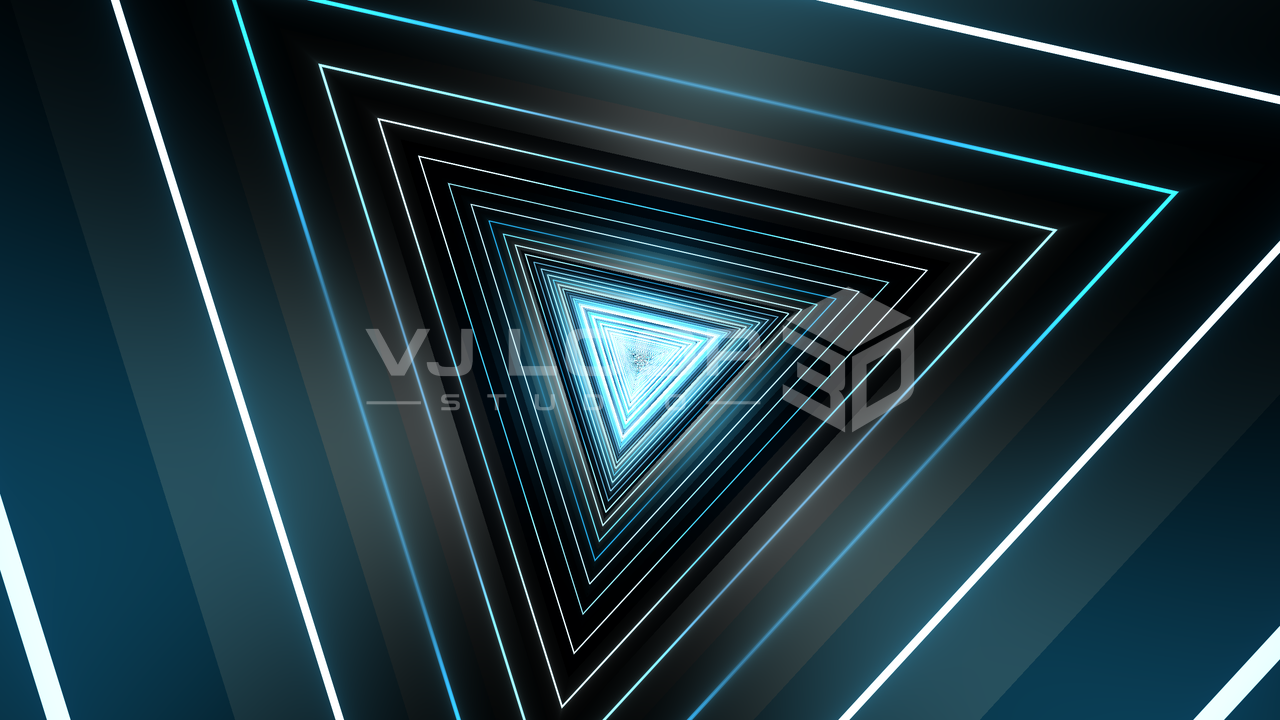
The 3D Tunnels group is now 18 effects, and it is the fastest route to a usable club loop in this app. They share a family resemblance — a corridor rushing at the camera, neon against black — but they are built differently, and the differences decide which one suits a given track or venue.
The tunnel family at a glance
| Tunnels in the catalogue | 18, inside a total of 124 effects |
|---|---|
| Rendering | wgpu compute/render pipeline, anti-aliased at every depth |
| Looping | Every tunnel closes on itself — no visible seam at the loop point |
| Colour | Any of the 187 palettes, plus projection and animation modes |
| Typical output | Seamless MP4 loops at up to 8K, or live via Spout/NDI |
What makes a tunnel look expensive
Three things separate a convincing neon corridor from an obviously cheap one, and all three are handled in the shader rather than left to you:
Anti-aliasing at every depth. A perspective corridor packs infinite detail toward the vanishing point. Naive line drawing turns that into sparkling noise. Each tunnel measures its own screen-space footprint, keeps lines at least a pixel wide, and dissolves a pattern into its average brightness once it becomes finer than the pixel grid. The centre of the frame stays clean instead of boiling.
Lit walls, not line art. Outlines floating on pure black read as a wireframe. The corridors carry a faceted wall gradient between the lines, so the space is a surface with light falling across it.
Controlled ends. Geometry very close to the camera blows out to white; geometry very far away turns to mush. Both ends are faded, which is why the corners of the frame stay readable.
The corridors
Triangle Rush
Concentric neon triangle outlines rushing the camera, with accent flashes on the corners. The clearest read of the family at small sizes — if the visual has to work on a phone-sized preview or a low-resolution wall, start here. Key parameters: Sides, Ring Density, Line Width, Corner Flash.
Hex Spiral
Hexagon rings where each ring is rotated slightly further than the one in front, so the stack of flat polygons reads as one continuous spiral. Dense and detailed; good for peak-time. Key parameters: Ring Twist (the spiral itself), Inner Marks, Swirl Arms.
Truss Tunnel
A space frame rather than a smooth corridor: transverse bays, corner rails, and two mirrored diagonal families that cross into triangles, with bright joints where they meet. Architectural rather than psychedelic. Key parameters: Bay Density, Diagonal Pitch, Joint Nodes.
LED Prism
A corridor tiled with discrete LED bars — real fixtures with dark gaps between them and a chase running around and down the walls. The most product-like of the set, and the one that looks most at home on an actual LED installation. Key parameters: Bars Per Side, Bar Rows, Chase, Chase Depth.
Diamond Drift
Two counter-rotating corridors overlaid, lighting up where their lattices cross. Constantly shifting without any single element moving fast. Key parameters: Counter Spin, Second Layer, Inner Scale, Crossing Nodes.
Strobe Prism
Discrete polygon frames at their own depths, spaced exponentially, each strobing on its own beat. The one to reach for when you want the visual to feel triggered rather than flowing. Key parameters: Frame Count, Depth Span, Strobe Rate, Twist Per Frame.
Prism Flight
The raymarched one. Real signed-distance geometry with lit surfaces, ribs, and corner seams — actual 3D rather than a screen-space projection, which shows in how light behaves on the walls as the corridor twists. Costs more GPU than the projected corridors. Key parameters: Corridor Width, Twist, Rib Depth, Neon Seams.
Laser Web
No walls at all: rotating fan projectors firing beams across the frame, crossing into a web. Pure light on black, which makes it the highest-contrast option and a good cut away from a dense corridor. Key parameters: Beam Count, Fan Points, Spread, Sweep.
Facet Dome and Shard Kaleido
The two that break the corridor shape. Facet Dome wraps a triangulated lattice over a hemisphere with individual facets flashing; Shard Kaleido folds the frame kaleidoscopically into hard crystalline slivers. Both work as a contrast cut inside a set built on corridors.
Shaping one for your venue
For an LED wall
Coarse detail, high contrast. Reduce Ring Density or Bay Density, raise Line Width, and pick a palette with a strong dark-to-light range. Check the result at the wall’s actual pixel count before the show, not on a 4K monitor.
For projection
You can afford finer detail, but watch the black level. Projectors do not produce true black, so a tunnel that relies on pure black between lines will look washed. Raise Wall Fill slightly so the corridor has deliberate mid-tones rather than relying on the projector for contrast it cannot deliver.
For a stream or social clip
Fine detail plus fast motion is the worst case for a video encoder. Slow the flight speed, reduce density, and export at a higher quality tier than you think you need — or use the VJ Loop (ProRes-grade) preset, which is Master-tier for exactly this reason.
For a logo or performer overlay
Pick a tunnel with a dark centre and keep Core Glow low. Triangle Rush and Truss Tunnel leave the vanishing point clean; Hex Spiral and Shard Kaleido fill it.
Colour is a separate decision
Every tunnel takes any of the palettes, and the palette changes the effect’s character more than most parameters do. The same Triangle Rush is icy and clinical in ArcticLaser, warm and analogue in SolarFlare, and aggressive in VelvetPunch.
Two further controls are worth knowing:
- Colour Flow advances the palette over the loop, so the corridor cycles through the ramp rather than sitting on one colour.
- Colour Spread sets how far apart consecutive rings sit in the palette. Small values give a subtle gradient down the corridor; large values give every ring a distinct hue.
See the colour and material guide for palette projection and grading.
Building a set from them
A set made only of corridors gets monotonous quickly, however good each one is. A workable structure:
- Open on a clean, readable corridor — Triangle Rush or Truss Tunnel.
- Build density — Hex Spiral or Diamond Drift.
- Cut to something without walls — Laser Web or Facet Dome — as a release.
- Return to a corridor with a different palette so it reads as a new section.
Put those on separate timeline tracks with Dissolve or Cut transitions between them, or set them up as scenes and launch them from MIDI pads during the set.
Frequently asked questions
- What is a neon tunnel VJ loop?
- A short, seamlessly repeating clip of a corridor rushing toward the camera, lit like neon tubing against black. It is the most-used background in club and LED-wall visuals because it reads clearly at any size, loops invisibly, and leaves the centre of the frame dark enough to place a logo or performer over it.
- Which tunnel effect should I start with?
- Triangle Rush for hard-edged neon outlines, Hex Spiral for dense detail, LED Prism for a corridor that looks like real fixtures, Laser Web for beams with no walls, and Prism Flight when you want genuine raymarched 3D geometry with lit surfaces rather than a screen-space projection.
- How do I make a tunnel loop seamlessly?
- They already do. Every tunnel derives its motion from the project’s loop phase rather than from wall-clock time, so the last frame lands exactly where the first begins. Set the loop length you want and export — no crossfading or trimming is needed.
- Do these hold up on a low-resolution LED wall?
- Yes, if you keep the detail coarse. Lower the ring or bay density, raise the line width, and pick a palette with strong contrast. Fine lattice detail that looks good on a monitor turns to noise on a 10 mm pitch wall — the tunnel’s own anti-aliasing prevents shimmer, but it cannot add pixels that the wall does not have.
- Can I change the number of sides on a tunnel?
- Most of them, yes. Sides is a parameter on the polygon corridors, so the same effect gives you a triangular, square, hexagonal, or near-circular tunnel. Triangle Rush, Hex Spiral, Truss Tunnel, LED Prism, and Diamond Drift all expose it, so one effect covers several looks.
- Are these effects audio-reactive?
- Any numeric parameter on them can be. Ring density, glow, line width, and colour flow are the usual targets — see the audio-reactive guide for the routing.
Where to go next
- The complete effect gallery — real renders of all 124 effects.
- Audio-reactive visuals — make a tunnel move with the track.
- Fractals, crystals, and liquid geometry — the raymarched effects.
- Preparing video for an LED workflow — pixel pitch, contrast, and export.