Everything in VJ Loop Studio 3D: real-time effects, a multi-track timeline with transitions, audio-reactive controls, 3D model support, MIDI and OSC, Spout and NDI live output, and MP4 export for Windows.
One licence, every feature. 124 real-time effects, a multi-track
timeline, audio reactivity, 3D model support and live output — with no packs,
tiers, or subscriptions.
Every screenshot on this page is captured from the running application.
01
Effects and looks
Every effect ships with the licence. There are no packs, tiers, or in-app purchases.
124 built-in effects
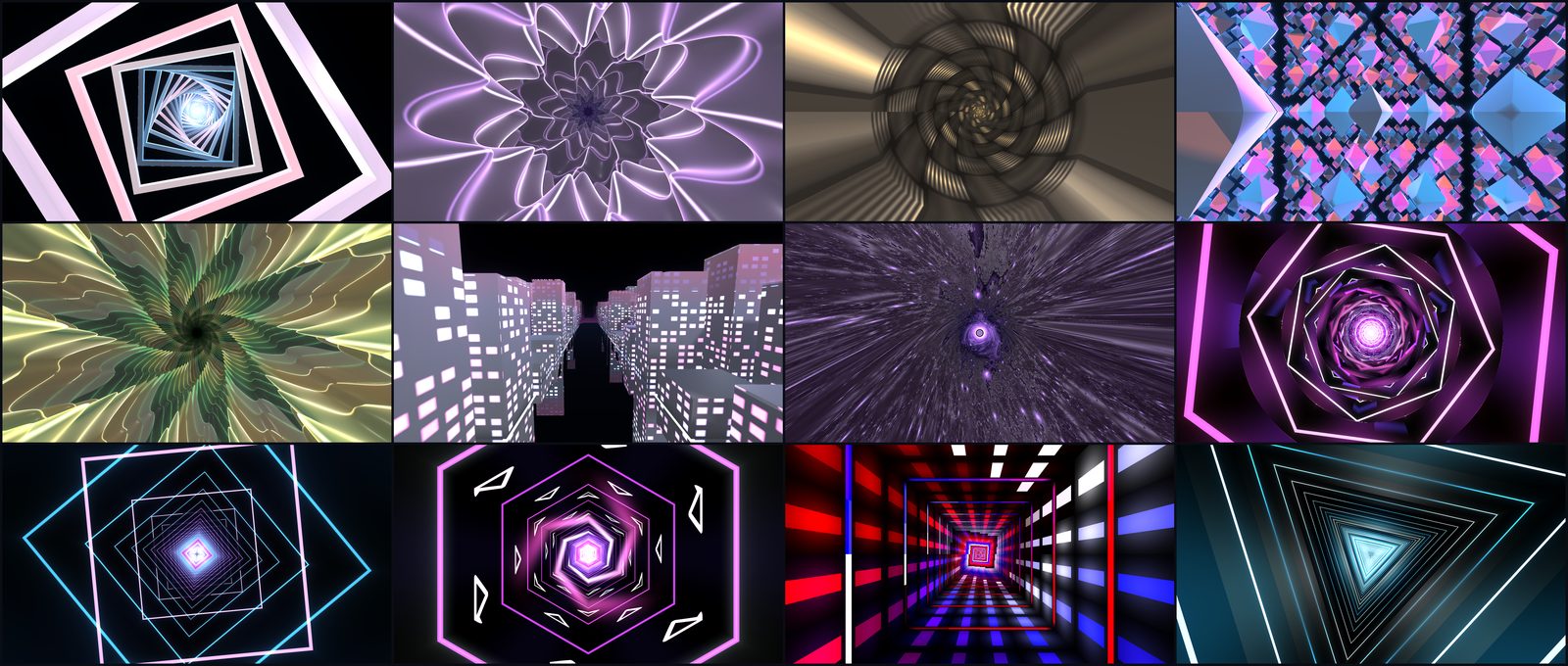
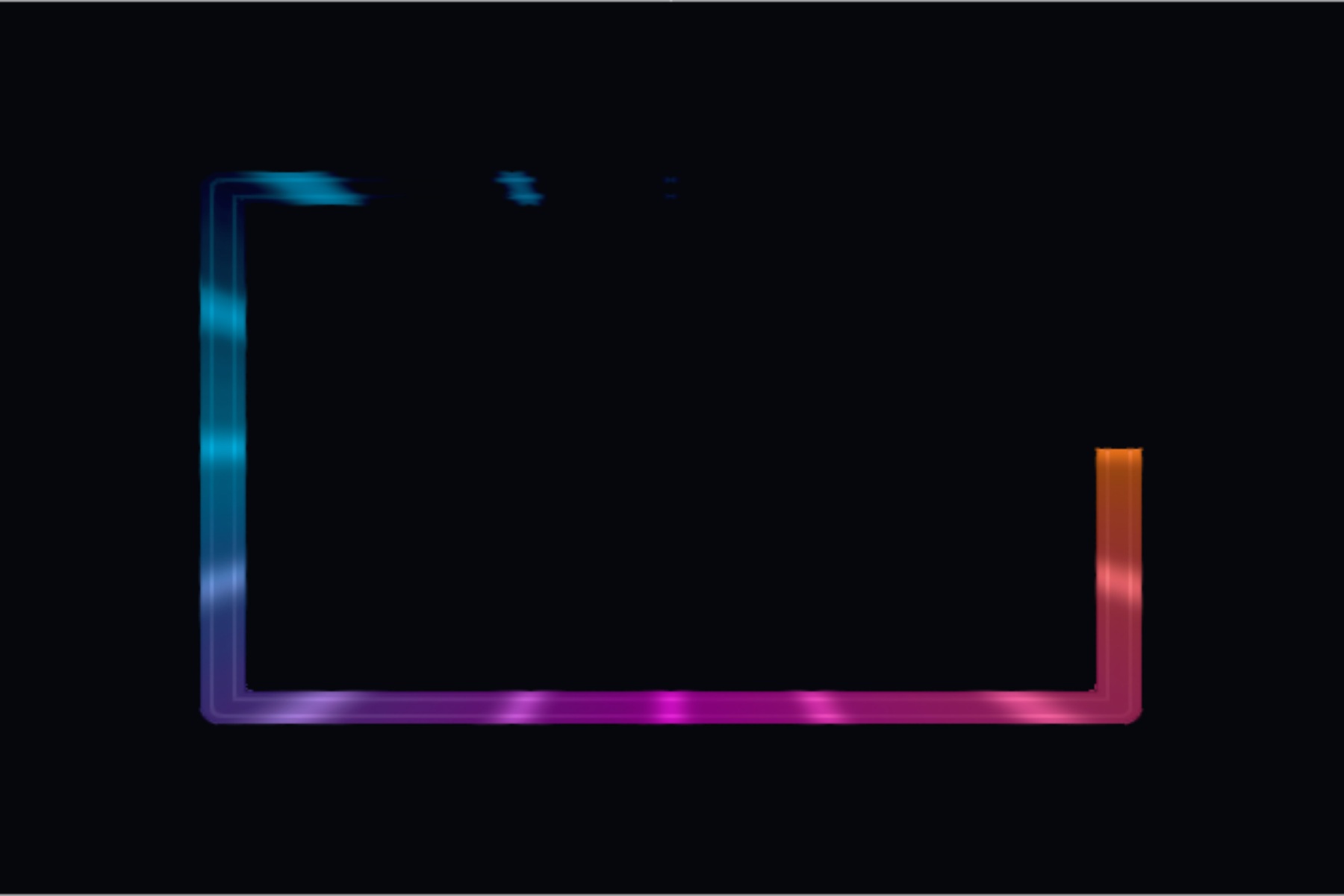
3D scenes, tunnels, fractals, stage lighting looks, 2D graphics, glitch and geometry. Each one is a real-time shader, not a prerendered clip, so it responds to every parameter and to audio while you play.
Browse by category with live thumbnails
Authored presets on every effect as a starting point
Search by name from the effect browser
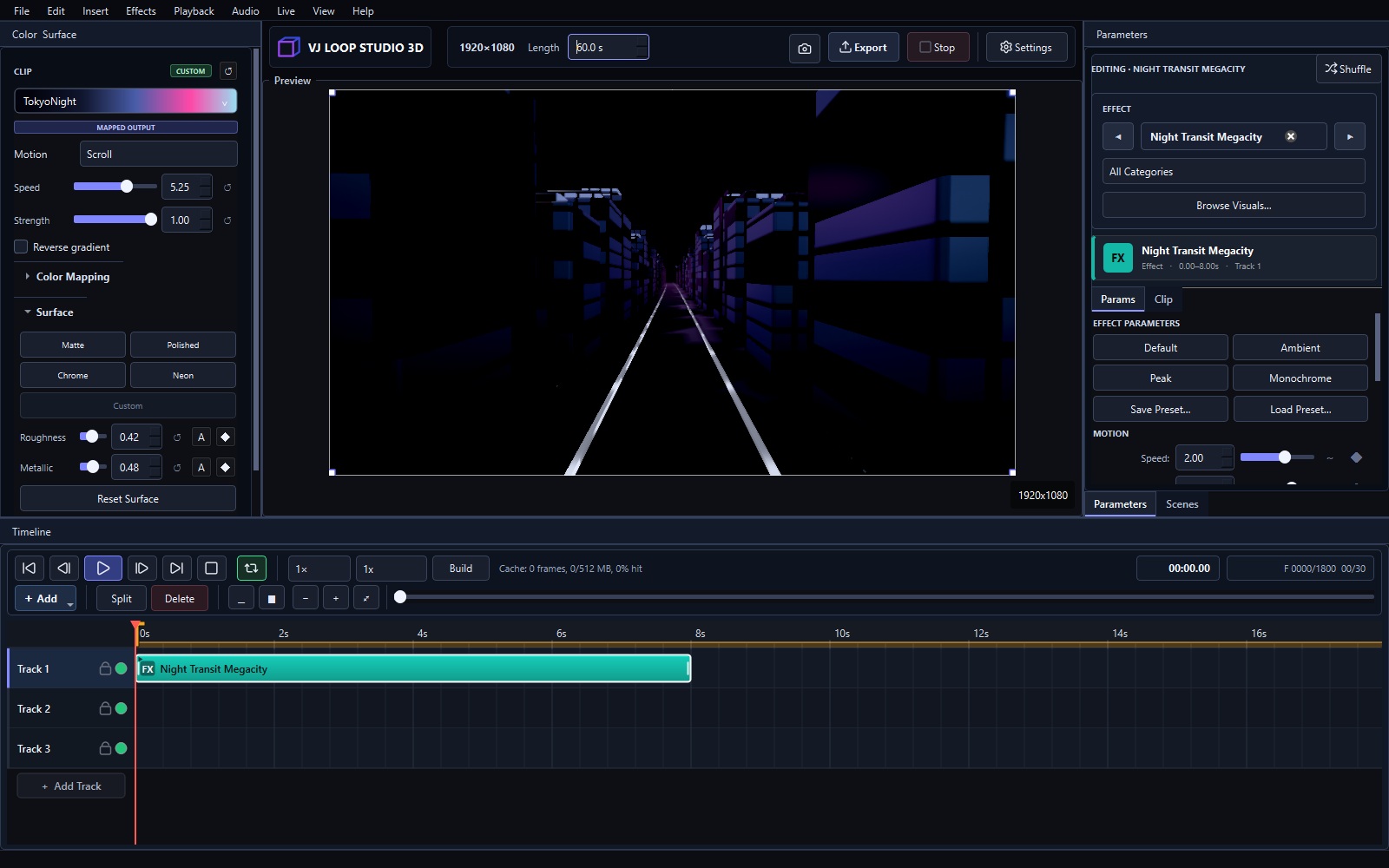
Direct colour control
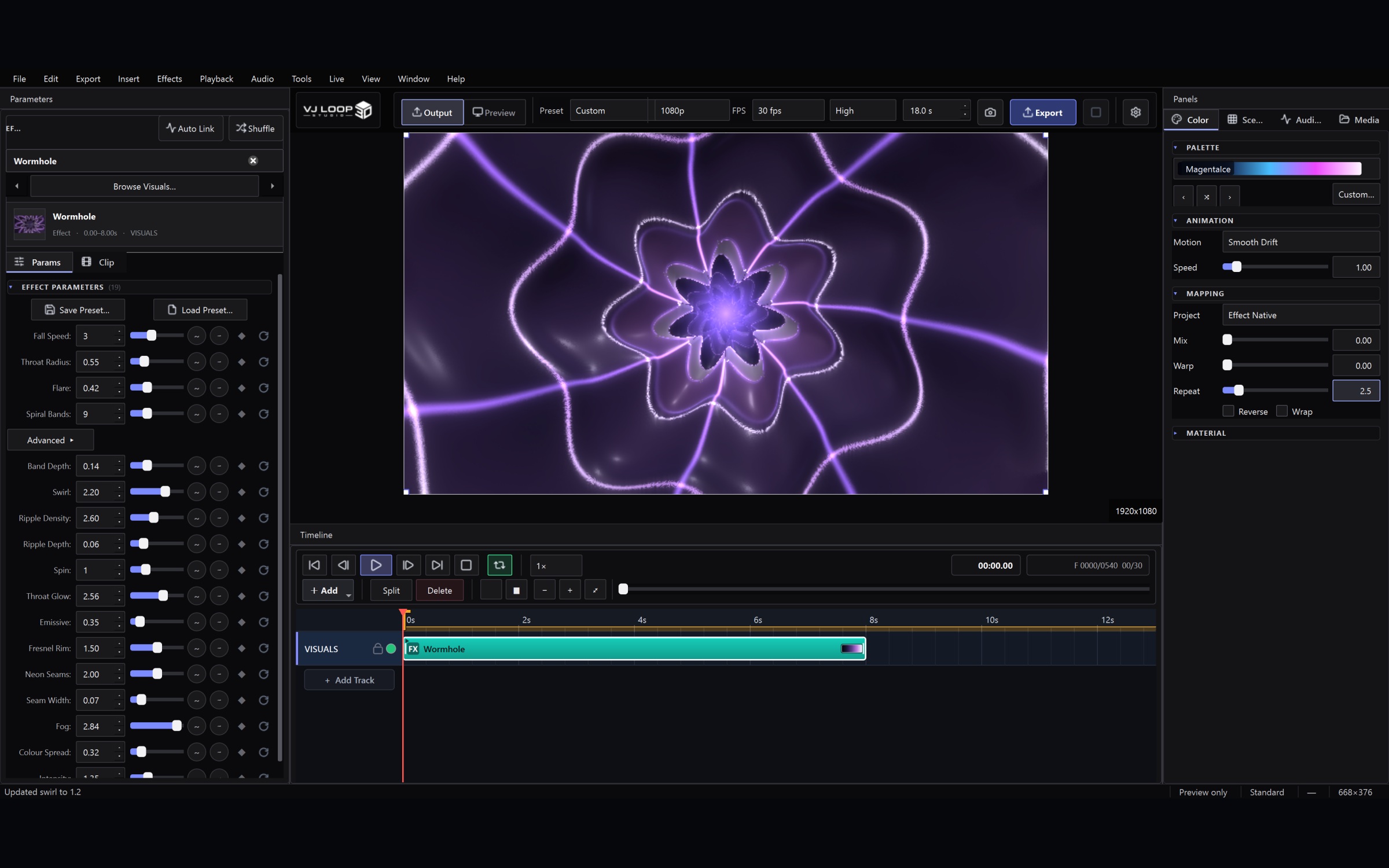
Recolour any effect without leaving the panel. Colour maps preview inline on the selector, so you pick a ramp by looking at it rather than by name.
Dozens of colour maps with inline ramp previews
Projection and animation modes per clip
Current colour always visible while editing
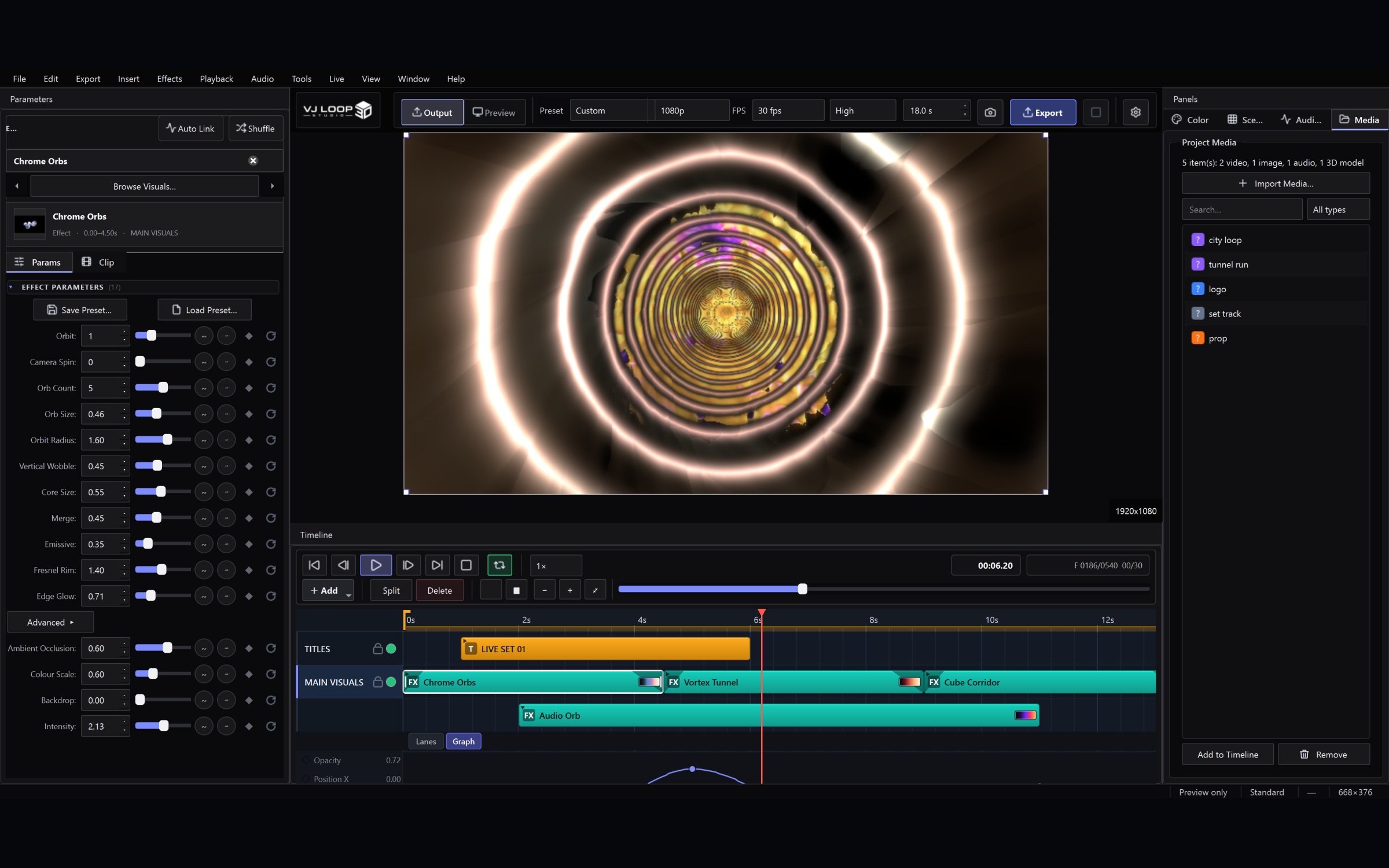
Every parameter is live
Effect controls are generated from the effect itself, so what you see is what the shader actually reads. Change anything mid-set and the preview updates on the next frame.
Per-effect parameters with sensible ranges
Reset any value to its authored default
Keyframe or audio-link any control
02
Timeline and composition
A multi-track timeline built for building a set, not just a single clip.
Multi-track timeline
Layer effects, video, images, text, lyrics, 3D models and audio on as many tracks as you need. Clips composite bottom-to-top with real blend modes and per-clip opacity.
Ctrl-click and Shift-click to select multiple clips
Drag a selection to move it as a group
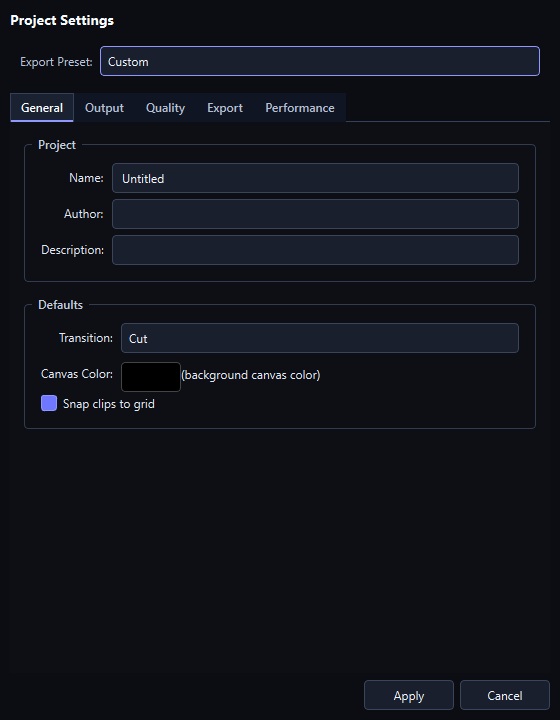
Snapping to clip edges and the playhead
Each clip shows its own colour map as a swatch, at a glance
Transitions as clips
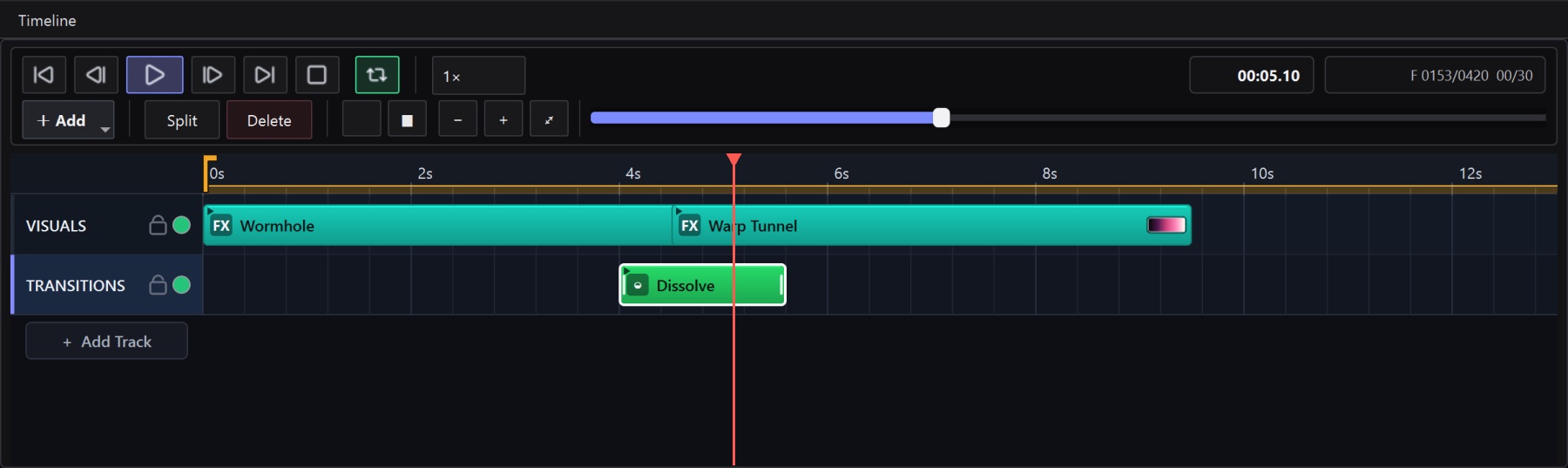
Drop a transition clip across a cut and the outgoing clip fades out while the incoming one fades in — the same way you would do it in a video editor. Fifteen styles, from a plain dissolve to whip pans, spins and tumbles.
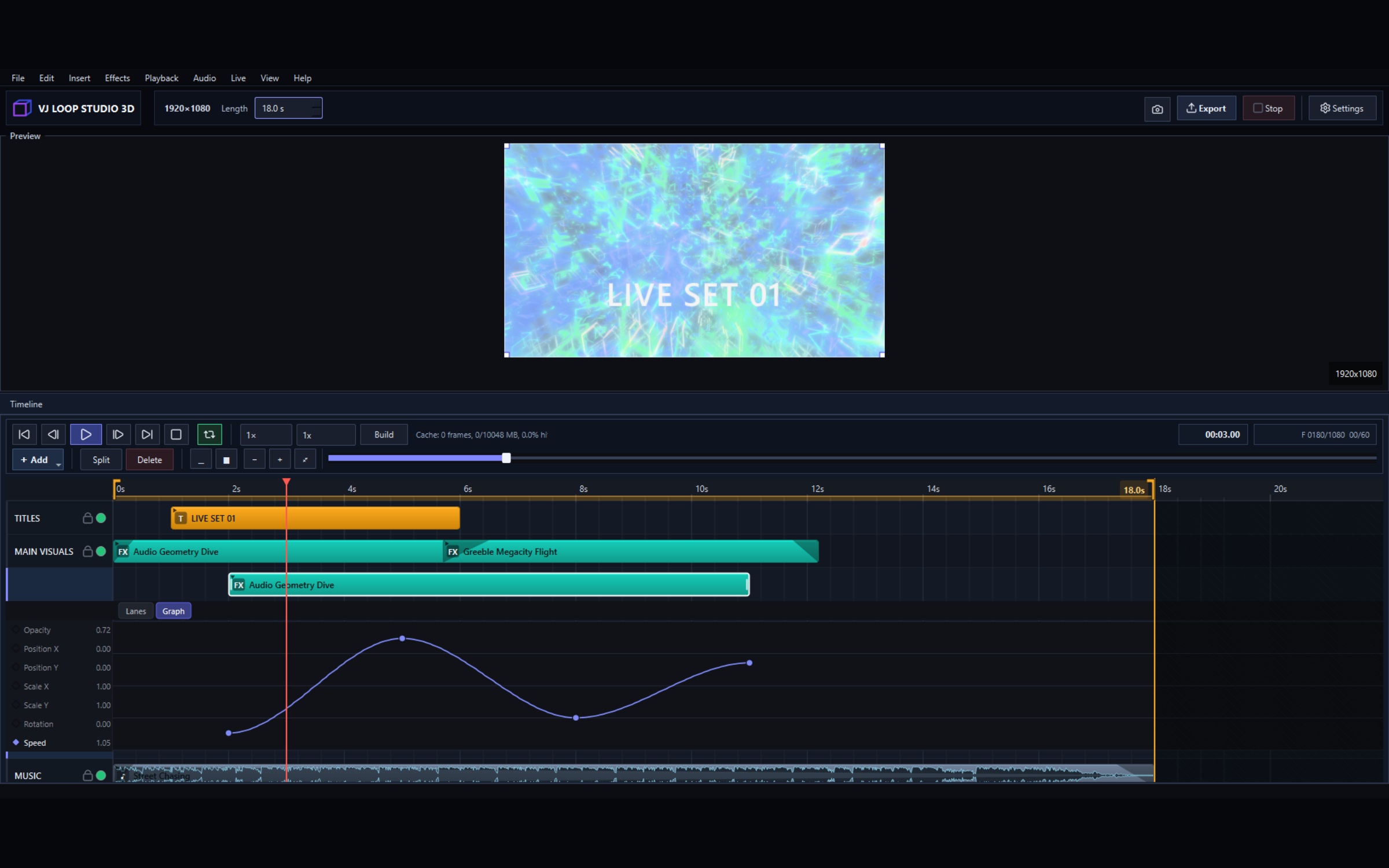
Animate any parameter over time with an inline curve editor. Fades, opacity, transforms and effect controls all keyframe the same way.
Graph view directly under the clip
Ease and hold interpolation
Works on every clip type
03
Audio reactivity
Link any control to what the music is doing.
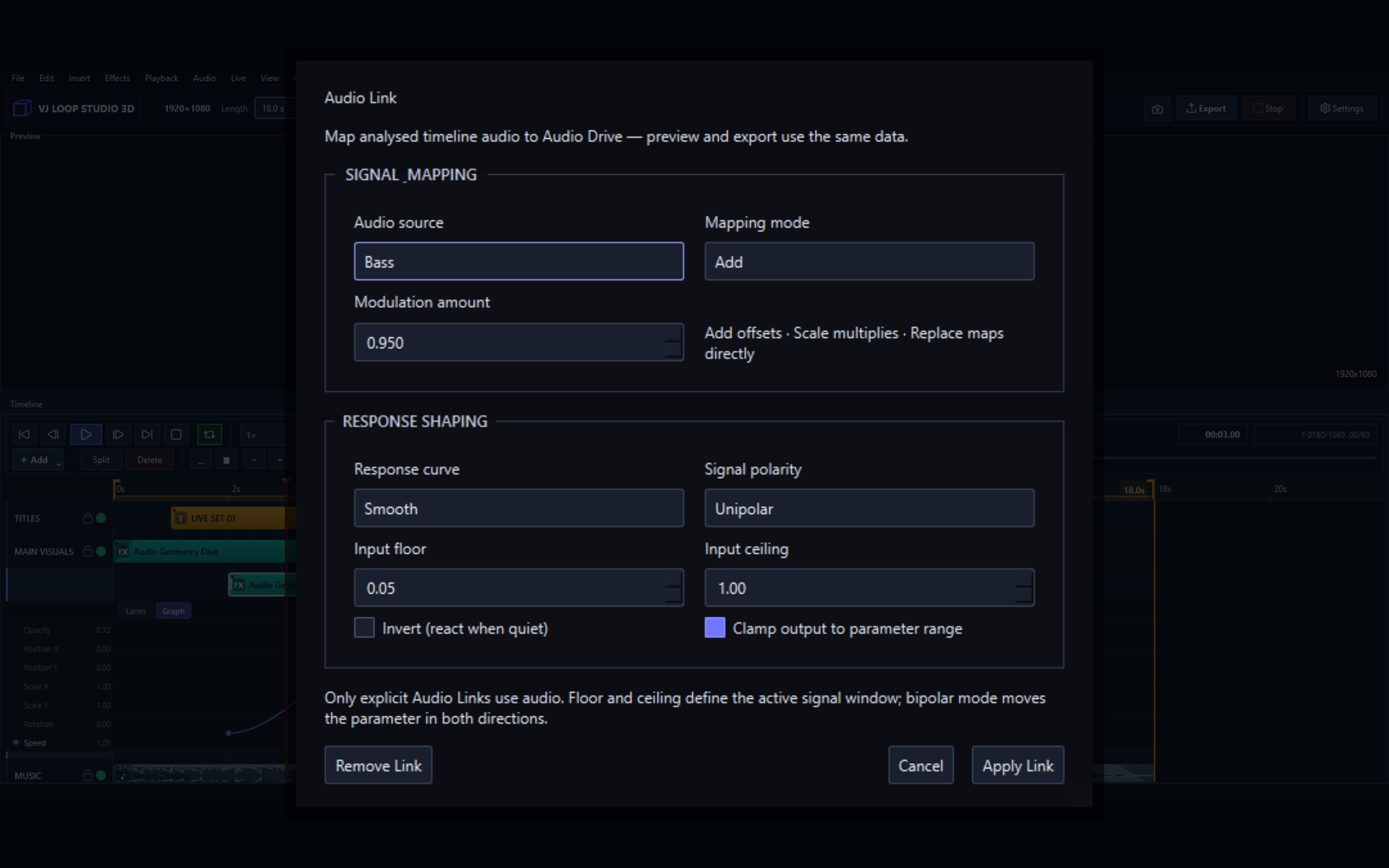
Audio Link on any parameter
Bind a parameter to bass, mid, treble, overall level or beat, with gain, threshold, ceiling and curve shaping per link. Set it once and the visual follows the track.
Per-link amount, curve, threshold and polarity
Add, multiply or replace the base value
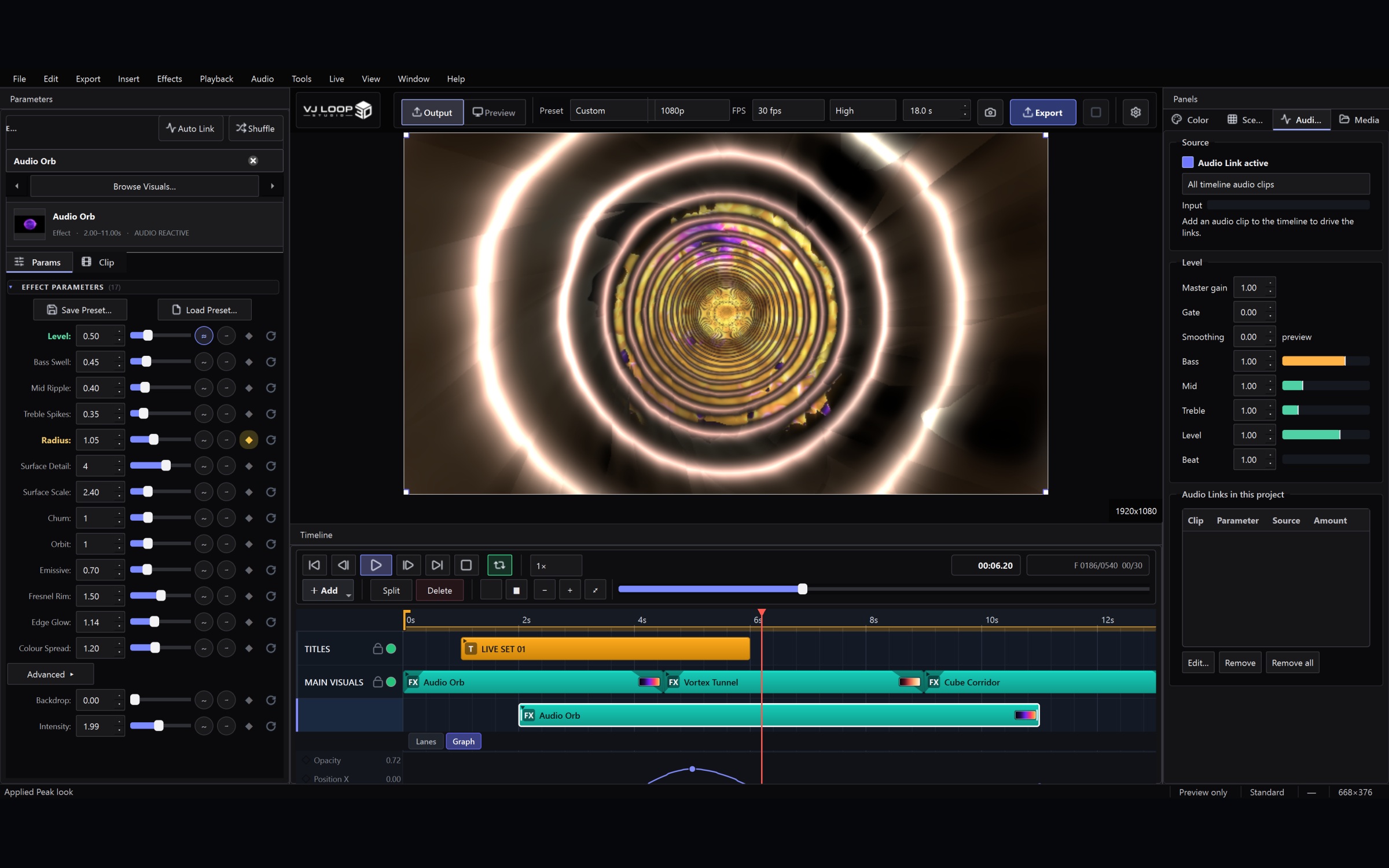
Master gain, gate and smoothing across all links
Audio-reactive visuals
Load a track onto an audio lane and see its waveform on the timeline. Live input works the same way for club use, so a set reacts to the room rather than to a file.
Waveform display on audio clips
Live input or timeline audio as the source
Beat detection drives pulse and strobe looks
04
3D models
Bring your own geometry, or pull CC0 assets straight from Poly Haven.
One-click looks, colours and motion
Pick a look — Chrome, Glass, Hologram, Neon Shell, Obsidian and more — and every material value is set for you. Then adjust any slider underneath; a preset is a starting point, not a mode.
10 material looks, 10 colour pairs, 10 animation presets
Metallic, roughness, clearcoat, transmission and IOR
Auto Frame sets the camera distance from the model itself
Import OBJ, glTF and GLB
Drop a model onto the timeline and it renders in the same pass as everything else, depth-tested and composited with your 2D layers.
Poly Haven browser for CC0 models and textures
Per-axis scale, rotation and continuous spin
Perspective or orthographic camera
05
Output and control
Get the visuals out of the application and onto a screen.
Export production-ready video
Render your timeline to MP4 at the resolution and frame rate you choose, with presets for the platforms people actually deliver to.
Resolution, frame rate and quality presets
Seamless loop export
Progress and cancel while it renders
Live output to any surface
Send the programme feed to a second screen, a projector, or another application over Spout or NDI — the standard routes into a VJ or broadcast rig.
Full-screen output on a second display
Spout and NDI senders
Independent live frame-rate cap
MIDI and OSC control
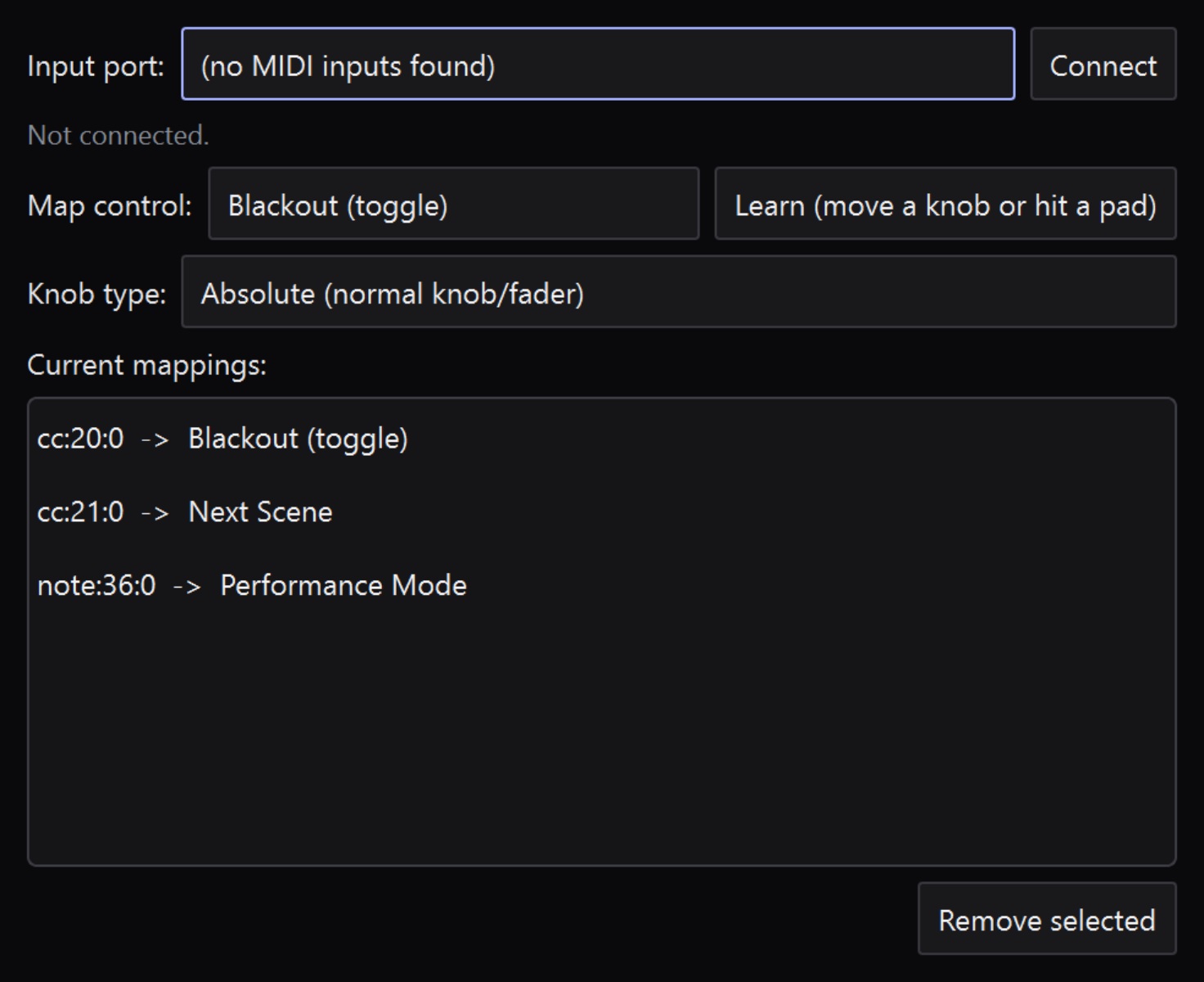
Map hardware to the controls you actually reach for during a set, so you are not driving a club set with a trackpad.
MIDI learn on parameters
OSC in for remote control
Keyboard shortcuts for transport and scenes
Live Console for the whole rig
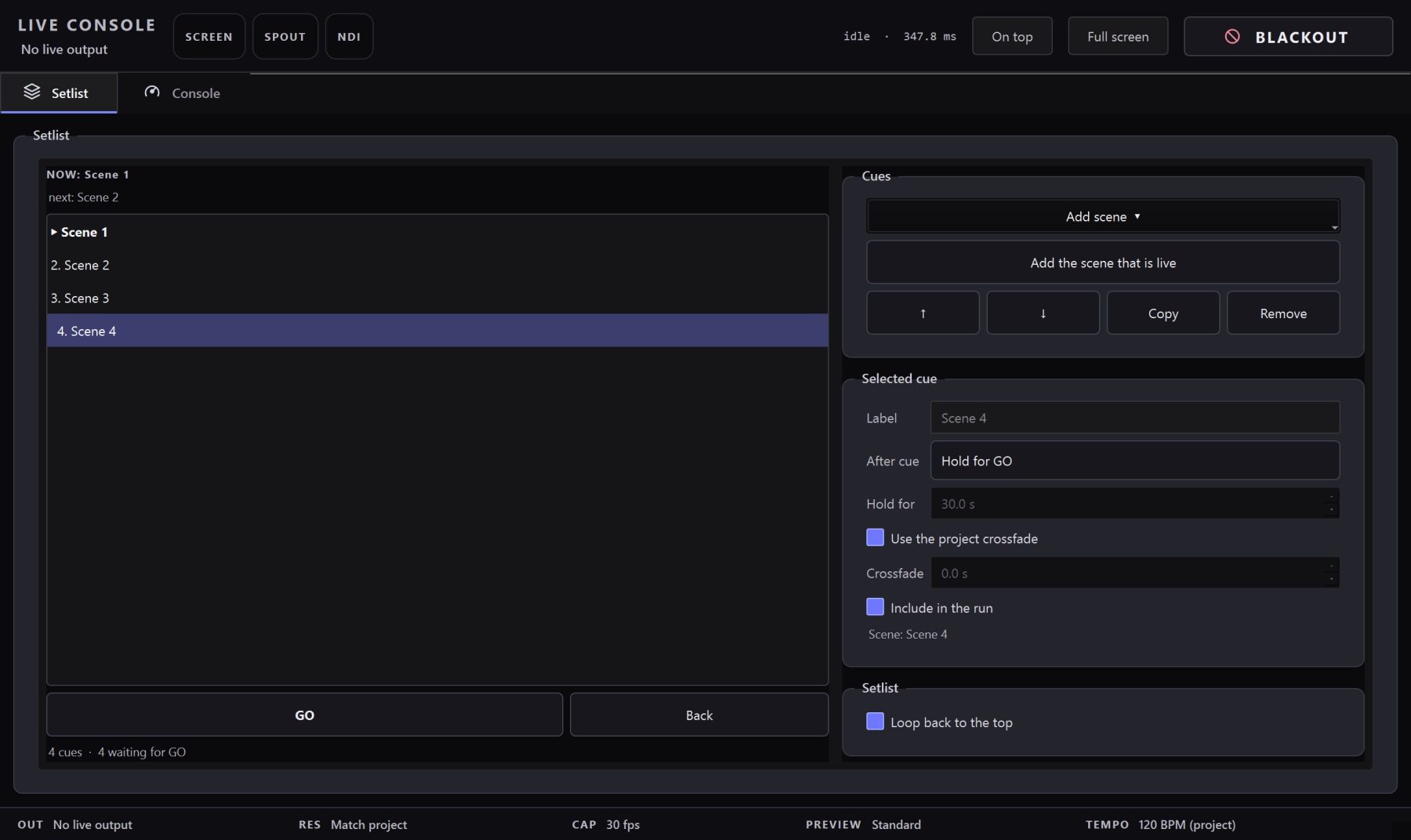
One window holds every live-performance setting: outputs, quality, performance, tempo and the setlist — the setlist opens first, and everything else is one tab of columns, not three tabs a click apart. A real window, not a dialog — park it on a second screen, keep it on top, and drive the show.
Setlist with a GO transport and auto-advance cues
BLACKOUT cuts every output to black without stopping playback
Status pills and meters readable across a dark room
VJ Loop Studio 3D runs on Windows 10 and 11 and needs a GPU that supports
Direct3D 12 or Vulkan — any discrete card from the last several years, or recent
integrated graphics. Effects render in real time on the GPU, so a faster card
means a higher preview frame rate rather than access to different features.
See pricing for licence terms, browse the full
effect gallery, or read the
user guide to see how a set comes together.
Get in touch if you have a question that is not answered here.
124 built-in effects, all included with the licence. They cover 3D scenes, tunnels, fractals, stage lighting looks, 2D graphics, geometry and glitch. There are no effect packs sold separately.
Can I add transitions between clips?
Yes. A transition is its own clip type: lay one across a cut and the outgoing clip fades out while the incoming one fades in. There are 15 styles including Dissolve, Slide, Push, Swoop, Whip Pan, Zoom, Iris, Spin and Tumble, each with Linear, Smooth, Ease In or Ease Out timing.
Does it react to audio?
Yes. Any parameter can be linked to bass, mid, treble, overall level or beat, from either a track on the timeline or live audio input. Each link has its own amount, curve, threshold and polarity.
Can I use my own 3D models?
Yes — OBJ, glTF and GLB import directly onto the timeline, and there is a built-in browser for CC0 models and textures from Poly Haven. Material looks, colours and motion are available as one-click presets that you can then fine-tune.
How do I get the visuals onto a screen or into another application?
Full-screen output on a second display, plus Spout and NDI senders for routing into a VJ or broadcast rig. You can also export the timeline to MP4 at your chosen resolution and frame rate.
Can I control it with hardware?
Yes. Parameters support MIDI learn, OSC is available for remote control, and transport and scene switching have keyboard shortcuts.
What does it cost?
€99 (+VAT) as a one-time purchase, covering every feature on this page. See pricing for the full licence terms.